ABOUT PHOTOMIND
Understand your photo before you edit it
PhotoMind is an AI photo critique and editing guidance service for photographers who use Adobe Lightroom. Review a frame, understand its strengths and weaknesses, and work from a Lightroom plan you can apply yourself.
The app runs in your browser. Its interface, reports and support are in English. Full photo analysis is currently in an invite-only beta; the Palette Guide and Reference Match check are open to everyone without an account.
Three ways to work on a photo
AI photo critique and a Lightroom editing plan
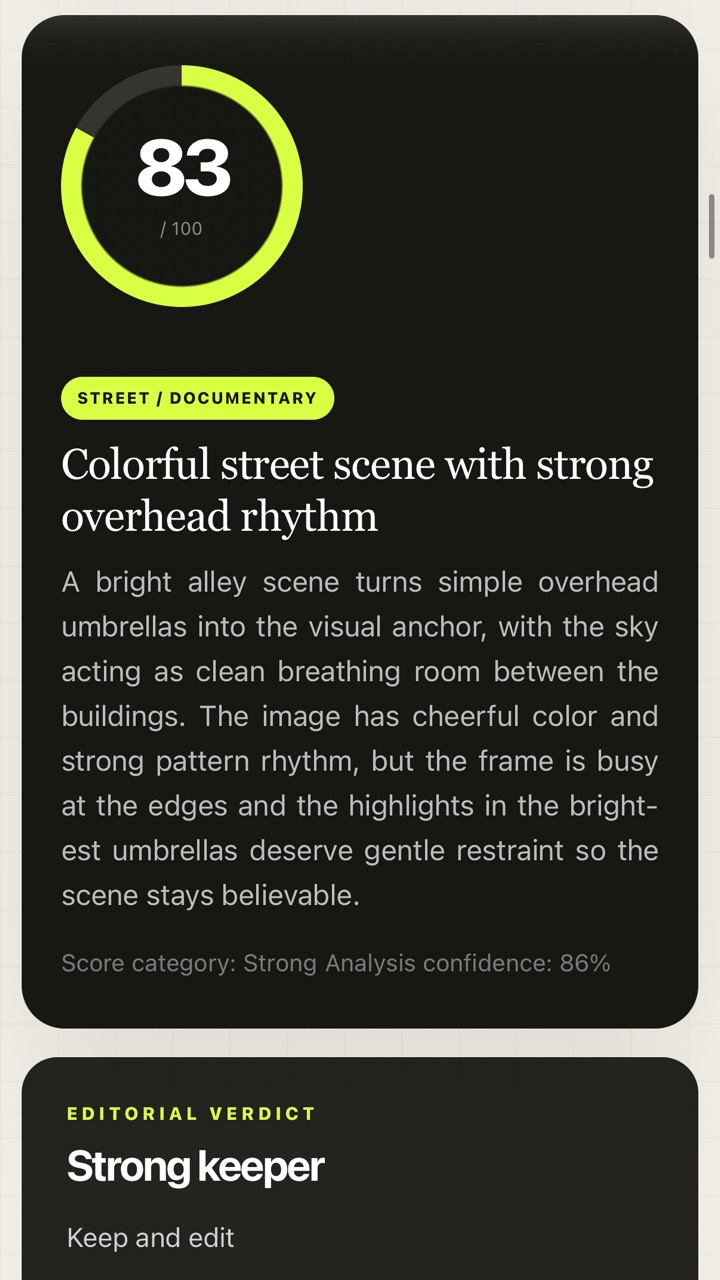
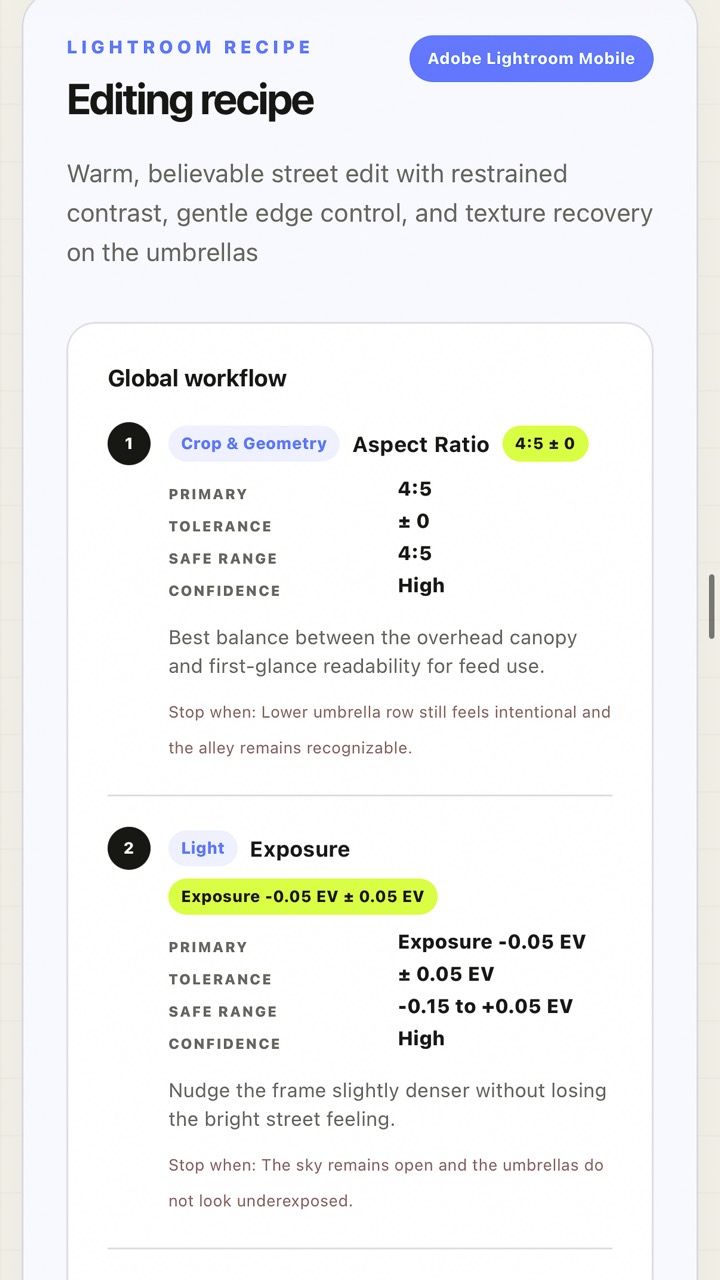
Upload one photo, add an optional Photo Brief, and receive a written critique with scores, a technical review, creative feedback and practical editing priorities. The Lightroom recipe turns those priorities into adjustments, supported local masks and an XMP preset you can download. You import the preset in Lightroom or Camera Raw, inspect the result and finish the edit.
Explore the full photo analysis service, including its outputs, supported files, beta access and credits.
Free Palette Guide
Read the colors in a rendered photo directly in your browser. The Palette Guide ranks colors by visual influence, identifies lead, supporting and accent colors with HEX values, and describes temperature, harmony, saturation and tone. Its edit direction and copyable palette brief help you decide what to emphasize before changing Lightroom's color controls.
The public tool accepts JPEG, PNG and WebP files without an account or a credit. Signed-in beta users can also use the supported RAW workflow. See the Palette Guide walkthrough or try it now.
Free Reference Match check
Compare a reference edit you like with your own target photo. The check explains how well the look can transfer, which traits are useful and where different light, colors or subject matter create risks. It helps you choose an adaptation that fits your photograph.
The comparison is free and needs no account. Generating an adapted Lightroom recipe and XMP is a separate beta-account action that uses one credit. Read how Reference Match works or open the free check.
Built around the photographer's decisions
PhotoMind is useful when you want a second reading of a frame, a clearer order for your edits, or help turning a creative intention into Lightroom adjustments. The Photo Brief lets you describe the photo's purpose, the mood you want, your preferred edit strength and details you want to protect.
AI scores and suggestions are a starting point. Review them against your intention and the actual image. Crop, cleanup and the final visual judgment remain part of your editing work. The guides explain each step, from writing the brief to applying an XMP preset.
Beta access and credits
Join the waitlist on the PhotoMind home page and confirm your email. Selected testers receive invitations gradually; joining the waitlist does not immediately open full analysis.
Beta invitations currently include 10 credits. One completed photo review uses one credit, and failed runs are not charged. There are no paid packages or subscriptions available to purchase at present.
Your photos and reports
Original uploads are not permanently stored. Report history can retain a reduced preview, the report and its XMP for up to 15 days. You can export or delete your data from the account panel. Read the Privacy Policy for the current handling of uploads, reports, account data and cookies.
Contact PhotoMind
For product questions, beta feedback or support, email support@photomind.app. The FAQ covers credits, RAW files, Lightroom compatibility and beta access. The service's Terms and Privacy Policy describe its operating and privacy conditions.